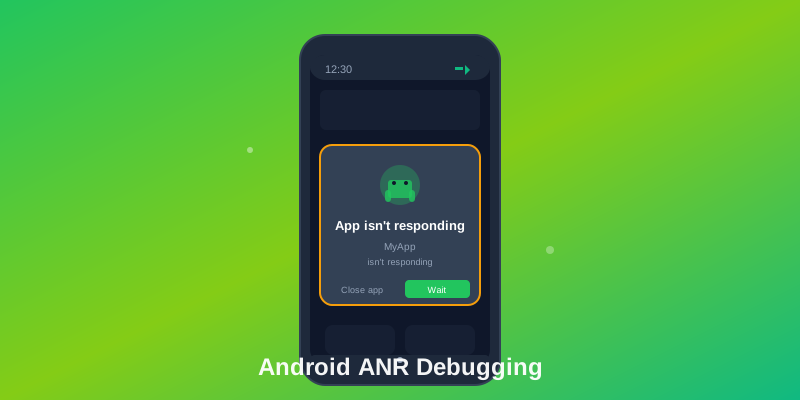
Application Not Responding (ANR) errors are among the most frustrating issues Android developers face. When your app becomes unresponsive for more than 5 seconds, Android displays the dreaded ANR dialog, forcing users to either wait or kill the app. This comprehensive guide will show you how to identify, debug, and permanently fix ANR crashes in your Android applications.
What Causes ANR Errors?
ANR errors occur when the main UI thread is blocked for too long. The most common causes include:
- Network operations on the main thread - Making HTTP requests without using background threads
- Heavy database queries - Running complex SQL queries synchronously
- File I/O operations - Reading or writing large files on the UI thread
- Complex computations - Processing large datasets or performing intensive calculations
- Synchronization deadlocks - Thread waiting indefinitely for locked resources
5-Step Process to Fix ANR Errors
1. Identify the ANR Location
Use Android Studio's Profiler or adb to capture ANR traces:
adb pull /data/anr/traces.txtLook for the "main" thread in the trace file to identify where your app is blocked.
2. Move Work Off the Main Thread
Use Kotlin Coroutines or WorkManager for background operations:
// Bad - Blocks main thread
fun loadData() {
    val data = database.getAllUsers() // ANR risk!
    updateUI(data)
}

// Good - Uses coroutines
fun loadData() {
    lifecycleScope.launch {
        val data = withContext(Dispatchers.IO) {
            database.getAllUsers()
        }
        updateUI(data)
    }
}
3. Optimize Database Operations
Use Room database with proper indexing and async queries:
@Dao
interface UserDao {
    @Query("SELECT * FROM users WHERE id = :userId")
    suspend fun getUserById(userId: Int): User

    @Query("SELECT * FROM users")
    fun getAllUsersFlow(): Flow<List<User>>
}
4. Implement Timeout Mechanisms
Add timeouts to prevent indefinite waiting:
lifecycleScope.launch {
    try {
        withTimeout(3000) { // 3 second timeout
            val result = fetchDataFromAPI()
            updateUI(result)
        }
    } catch (e: TimeoutCancellationException) {
        showError("Request timed out")
    }
}
5. Monitor and Test
Use StrictMode during development to catch ANR risks early:
if (BuildConfig.DEBUG) {
    StrictMode.setThreadPolicy(
        StrictMode.ThreadPolicy.Builder()
            .detectDiskReads()
            .detectDiskWrites()
            .detectNetwork()
            .penaltyLog()
            .build()
    )
}
Advanced ANR Detection in Production
Using ANR Watchdog Libraries
Implement custom ANR detection to identify issues before the system kills your app:
class ANRWatchdog : Thread() {
    override fun run() {
        while (!isInterrupted) {
            val token = Any()
            mainThreadHandler.post { signalToken = token }
            Thread.sleep(ANR_THRESHOLD_MS)

            if (signalToken == token) continue

            // ANR Detected! Get full stack trace
            val anrStackTrace = getStackTraceFromPid(Process.myPid())
            reportANR(anrStackTrace)
        }
    }
}
Perfetto System Profiler Integration
Analyze frame drops and thread states using Perfetto:
- Capture frame rendering timeline
- Identify threads holding locks
- Analyze CPU scheduler state during ANRs
- Correlate with network activity and system calls
Production Monitoring with Logtrics
Logtrics detects and reports ANRs in production with full context:
Automated ANR detection captures:
• Full stack traces of blocked main thread
• All running background threads and their states
• Memory usage at time of ANR
• Network requests in flight
• User interaction history (breadcrumbs)
• Device thermal state and battery level
Correlation Analysis: ANRs and Other Issues
ANRs often correlate with other problems. Look for patterns:
- Memory spikes: GC pauses can block main thread for 100+ ms
- High CPU: Other threads consuming all cores, starving main thread
- I/O contention: Multiple threads accessing database simultaneously
- Network delays: Timeouts causing infinite retries on main thread
- Battery drain: Excessive wake locks preventing sleep
Real-World ANR Case Study
Scenario: E-commerce app experiencing 5% ANR rate on user home screen
Investigation:
1. Saw ANRs spike after product recommendation feature launch
2. Profiling showed 500ms image loading on main thread
3. Root cause: Image decoding wasn't using hardware acceleration
Fix: Moved image decoding to background thread using Kotlin coroutines. ANR rate dropped to 0.1%.
Best Practices to Prevent ANRs
- Never perform network operations on the main thread
- Use pagination for large lists instead of loading all data at once
- Implement proper error handling and timeout mechanisms
- Profile your app regularly with Android Profiler
- Use WorkManager for reliable background work
- Monitor ANR rates in production with Logtrics
Conclusion
ANR errors can severely impact user experience and app ratings. By following the systematic approach outlined in this guide—identifying the root cause, moving work off the main thread, optimizing operations, implementing timeouts, and continuous monitoring—you can eliminate ANR crashes and deliver a smooth, responsive Android app.
Remember, prevention is better than cure. Use development tools like StrictMode and production monitoring solutions like Logtrics to catch and fix ANR issues before they reach your users.
Get Started with Logtrics
Comprehensive mobile app logging, crash reporting, and performance monitoring.
Get Started →