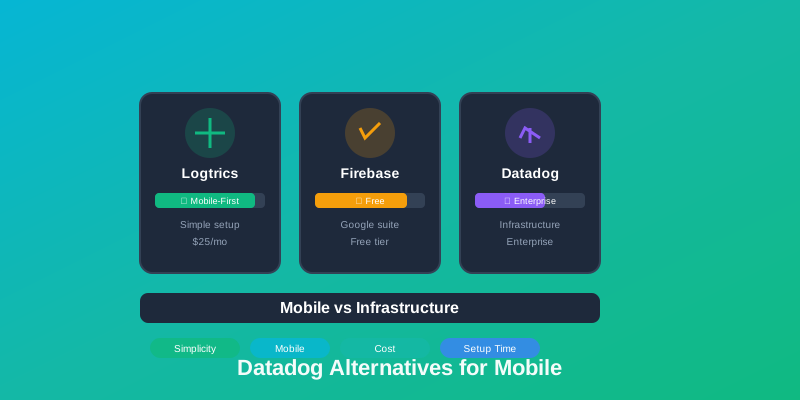
Discover mobile-first alternatives to Datadog that deliver powerful crash reporting, logging, and analytics without infrastructure monitoring complexity or enterprise-level pricing.
Why Datadog Isn't Ideal for Mobile-Only Teams
Datadog is a powerful observability platform, but it's built for DevOps teams managing complex infrastructure. Mobile-focused teams often struggle with:
- •Enterprise pricing: Multi-product pricing (infrastructure, logs, APM, RUM) quickly adds up
- •Infrastructure focus: Built for servers, containers, and Kubernetes—overkill for mobile apps
- •Steep learning curve: Complex dashboards designed for DevOps, not mobile developers
- •Data ingestion costs: Usage-based pricing can be unpredictable for high-volume apps
- •Mobile as secondary focus: Mobile monitoring features less emphasized than infrastructure monitoring
1. Logtrics - Best Mobile-First Alternative
Perfect for: Mobile teams wanting Datadog-level insights without infrastructure complexity or enterprise pricing.
Advantages
- ✓ AI Root Cause Analysis - Automated crash debugging in minutes
- ✓ AI Session Summary - Intelligent user behavior insights
- ✓ Mobile-first: Built for iOS, Android, React Native, Flutter
- ✓ All-in-one: Logs + crashes + events + devices
- ✓ 365-day retention for complete history
- ✓ Simple pricing: $25/mo for 100M events (billed annually)
- ✓ Zero infrastructure setup required
- ✓ Simple SDK setup
Free Plan
✓ Free during private beta
- • 10,000 logs/day included
- • 1 team member, 1 app
- • 3-day retention
- • All features vs Datadog's complex tiers
Pricing Comparison: Datadog requires enterprise contracts. Logtrics paid plans start at $25/month.
2. Firebase Crashlytics - Best Free Alternative
Perfect for: Startups wanting free crash reporting with Google ecosystem integration.
- ✓Completely free with unlimited crash reports
- ✓Easy integration with Firebase suite (Analytics, Cloud Messaging)
- ✓Automatic crash grouping and symbolication
- ✓Real-time crash alerts
- ×Only 90 days retention (vs Datadog's variable retention)
- ×Limited to 64 custom attributes
- ×No advanced log querying like Datadog
3. New Relic Mobile - Best for APM Integration
Perfect for: Teams already using New Relic for backend who want mobile visibility.
- ✓Mobile crash reporting and performance monitoring
- ✓Network request analysis and HTTP errors
- ✓Integration with backend APM traces
- ✓Custom dashboards and querying
- ×Complex data ingestion pricing model
- ×Steeper than Datadog for mobile-only use cases
4. Sentry - Best for Multi-Platform Teams
Perfect for: Teams managing mobile, web, and backend who need unified error tracking.
- ✓Supports 100+ platforms including mobile
- ✓Advanced error grouping and release tracking
- ✓Performance monitoring available
- ✓Self-hosted option for privacy
- ×Per-developer pricing model
- ×Less mobile-focused than Logtrics
5. AppDynamics - Best for Enterprise Scale
Perfect for: Large enterprises with complex mobile + backend architectures.
- ✓End-to-end mobile to backend tracing
- ✓Business transaction monitoring
- ✓Advanced correlation and analytics
- ×Enterprise pricing (contact for quote)
- ×Significant complexity and learning curve
- ×Similar to Datadog—overkill for mobile-only
6. Instabug - Best for User-Driven Reporting
Perfect for: Consumer apps wanting users to shake-to-report bugs with screenshots.
- ✓Shake-to-report bug submission
- ✓Screen recording and network logs
- ✓In-app surveys and feature requests
- ✓Crash reporting included
- ×Mobile-only (no web support)
- ×Less powerful log querying than Datadog
Comparison Table
| Feature | Logtrics | Firebase | Datadog |
|---|---|---|---|
| Mobile Focus | ✓ Native | ✓ Strong | × Infrastructure |
| Setup Complexity | Low | Low | Hours/Days |
| Retention | 365 days | 90 days | Custom/$$ |
| Starting Price | $25/mo | Free | Enterprise |
| Logs + Crashes | ✓ Built-in | Separate tools | ✓ Available |
Pricing Approach: Datadog vs Logtrics
How pricing models differ for mobile-only monitoring:
Datadog Approach
Model: Multi-product pricing
• Infrastructure monitoring (per-host)
• Log Management (per million logs)
• APM (per-host)
• Mobile RUM (per session)
Best for: Teams needing full infrastructure observability alongside mobile monitoring
Logtrics Approach
Model: Simple event-based pricing
• 500K events/mo = $75/month
• Logs + Crashes + Events: Included
• Device Tracking: Included
• 365-day Retention: Included
Best for: Mobile-only teams wanting simple, predictable pricing without infrastructure costs
When to Use Datadog vs Logtrics
Choose Datadog if you:
- →Need infrastructure monitoring (servers, containers, K8s)
- →Already use Datadog for backend services
- →Have enterprise budget and DevOps team
- →Need complex distributed tracing across systems
Choose Logtrics if you:
- ✓Focus primarily on mobile apps
- ✓Want simple, predictable pricing
- ✓Need logs, crashes, and events in one tool
- ✓Value fast setup over infrastructure features
Making the Switch from Datadog
If you're using Datadog only for mobile monitoring, migrating is straightforward:
- 1. Install SDK: Add Logtrics to your mobile app alongside Datadog
- 2. Parallel run: Monitor both systems for 2-4 weeks to ensure data parity
- 3. Configure alerts: Set up Slack, email, or webhook notifications
- 4. Migrate dashboards: Recreate mobile-specific dashboards in Logtrics
- 5. Remove Datadog mobile SDK: Keep Datadog for infrastructure if needed
- 6. Cancel mobile RUM: Reduce Datadog costs by removing mobile-only features
Conclusion
Datadog is an excellent platform for infrastructure monitoring, but mobile-only teams pay for complexity they don't need. Logtrics offers a mobile-first alternative with crash reporting, logging, and event analytics—without infrastructure overhead or enterprise pricing. Save 80%+ while getting features built specifically for mobile developers.