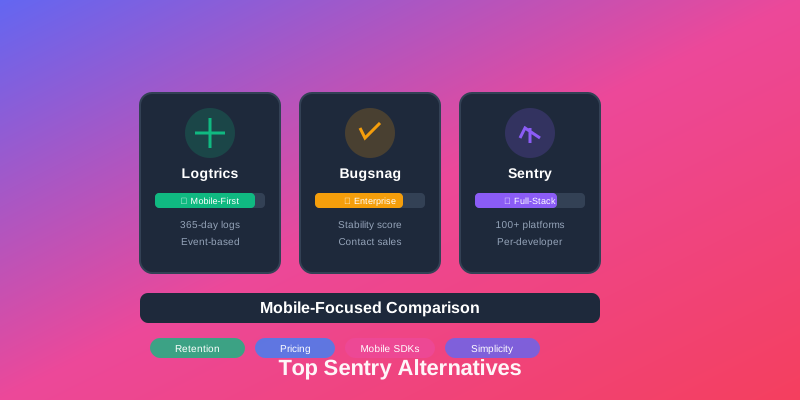
Discover powerful Sentry alternatives that offer mobile-first features, simpler pricing, and better value for teams focused primarily on iOS, Android, React Native, and Flutter applications.
Why Consider Sentry Alternatives?
Sentry is a powerful error tracking platform, but mobile-focused teams often face challenges:
- •Per-developer pricing: Costs scale with team size rather than app usage, which can be expensive for larger teams
- •Full-stack complexity: Built for web/backend, mobile features are less emphasized than core platform
- •Limited retention on lower tiers: Standard plans typically offer 90 days vs 365+ days in mobile-first alternatives
- •Event quotas: Rate limiting on lower tiers can impact crash visibility
- •Setup complexity: Requires careful configuration for mobile symbolication and source maps
1. Logtrics - Best Mobile-First Alternative
Perfect for: Mobile-first teams wanting simpler pricing, longer retention, and features built specifically for iOS, Android, React Native, and Flutter apps.
Advantages
- ✓ AI Root Cause Analysis - Automatically debug crashes with actionable fixes
- ✓ AI Session Summary - Understand user journeys with intelligent insights
- ✓ 365-day retention for complete history
- ✓ Event-based pricing, not per-developer
- ✓ Mobile SDKs for iOS, Android, React Native, Flutter
- ✓ Logs + crashes + events in one platform
- ✓ Advanced device tracking and filtering
- ✓ Real-time crash symbolication
Free Forever Plan
✓ Start Free - No Credit Card Required
- • 1M events/month included
- • 1 team member, 1 app
- • 30-day retention
- • Full feature access
Need more? Paid plans from $25/month (billed annually) with no per-developer fees
2. Bugsnag - Best for Stability Metrics
Perfect for: Teams needing detailed stability scores and enterprise collaboration features.
- ✓Automatic stability score calculation
- ✓Advanced release health tracking
- ✓Workflow management and assignment
- ✓Enterprise SSO and audit logs
- ×Premium pricing (contact for quote)
- ×Complex for small teams
3. Rollbar - Best for Real-Time Alerting
Perfect for: Teams prioritizing instant notifications and fast error resolution.
- ✓Real-time error tracking with millisecond latency
- ✓Intelligent grouping with ML
- ✓Flexible alerting rules
- ✓Strong integration ecosystem
- ×Per-project pricing can get expensive
- ×Limited mobile-specific features
4. Firebase Crashlytics - Best Free Option
Perfect for: Startups and side projects wanting free crash reporting with Google ecosystem integration.
- ✓Completely free with unlimited events
- ✓Easy integration with Firebase suite
- ✓Automatic crash grouping
- ×Only 90 days retention
- ×Limited custom attributes (64 keys max)
- ×Data shared with Google Analytics
5. Instabug - Best for User-Reported Bugs
Perfect for: Consumer apps where users can shake to report bugs with screenshots.
- ✓Shake-to-report in-app bug reporting
- ✓Automatic screen recording and network logs
- ✓In-app surveys and feature requests
- ✓Crash reporting included
- ×Mobile-only (no web or backend)
- ×Higher pricing for advanced features
6. AppCenter (Microsoft) - Best for .NET Developers
Perfect for: .NET MAUI and Xamarin developers in the Microsoft ecosystem.
- ✓Free crash reporting
- ✓CI/CD pipeline integration
- ✓Native Xamarin/.NET MAUI support
- ×Being deprecated in favor of Azure
- ×Uncertain future roadmap
7. Raygun - Best for Performance + Crashes
Perfect for: Teams needing both crash reporting and real user monitoring (RUM).
- ✓Combined crash and performance monitoring
- ✓Mobile RUM with detailed metrics
- ✓Deployment tracking
- ×Higher pricing for both products
- ×Smaller community than Sentry
Comparison Table
| Feature | Logtrics | Bugsnag | Sentry |
|---|---|---|---|
| Retention | 365 days | 90 days | 90 days |
| Mobile Focus | ✓ Native | ✓ Strong | Full-stack |
| Pricing Model | Event-based | Custom quote | Per-developer |
| Starting Price | $25/mo | Contact sales | Per-developer |
| Logs + Crashes | ✓ Built-in | × Crashes only | × Errors only |
Pricing Model Comparison
How pricing models differ for mobile teams:
Sentry Approach
Model: Per-developer pricing
Impact: Costs increase with team size regardless of usage
Best for: Small teams with high event volumes
Logtrics Approach
Model: Event-based pricing ($25/mo for 100M events (billed annually))
Impact: Same price whether you have 5 or 50 developers
Best for: Growing teams who want predictable costs
Making the Switch from Sentry
Migrating from Sentry is straightforward:
- 1. Run in parallel: Install new SDK alongside Sentry for 2-4 weeks
- 2. Configure symbolication: Upload debug symbols and source maps
- 3. Set up integrations: Connect Slack, Jira, or other tools
- 4. Verify crash grouping: Ensure issues are categorized correctly
- 5. Update alerts: Configure notification rules for your team
- 6. Remove Sentry: Once confident, remove old SDK to reduce app size
Conclusion
While Sentry is excellent for full-stack teams, mobile-focused developers often pay for features they don't need. Logtrics offers a mobile-first alternative with simpler pricing, longer retention, and features specifically designed for iOS, Android, React Native, and Flutter apps—at a fraction of the cost.