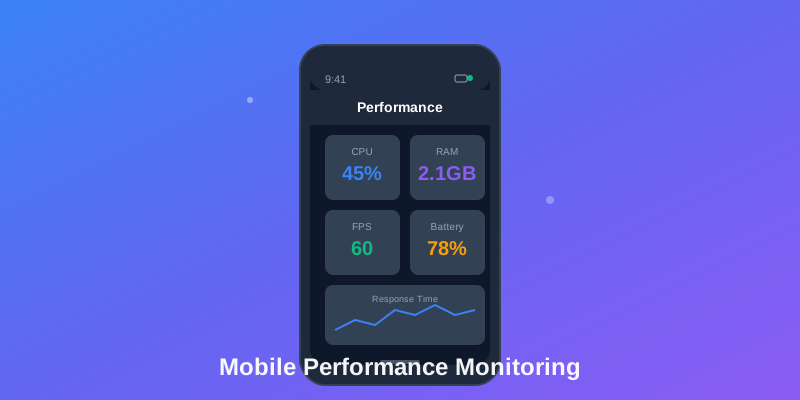
What is Mobile App Performance Monitoring?
Mobile App Performance Monitoring (MAPM) is the practice of tracking, measuring, and analyzing how well your mobile application performs in real-world conditions. Unlike traditional server monitoring, MAPM focuses on the unique challenges of mobile devices: variable network conditions, diverse hardware capabilities, battery constraints, and user expectations for instant responsiveness.
In today's competitive app landscape, performance isn't just a technical metric—it's a business imperative. Studies show that 53% of users abandon apps that take longer than 3 seconds to load, and a single negative performance experience can drive users to competitors permanently.
Key Performance Metrics That Matter
1. App Launch Time
The time from tap to interactive screen. Industry benchmarks:
- • Cold start: < 2 seconds (excellent)
- • Warm start: < 1 second
- • Hot start: < 0.5 seconds
2. Screen Rendering (FPS)
Frame rate consistency during animations and scrolling. Target 60 FPS (16.67ms per frame) on modern devices, 120 FPS on high-refresh displays.
3. Network Performance
API response times, failed requests, timeout rates. Track by network type (4G, 5G, WiFi) and geographic region.
4. Memory Usage
RAM consumption and memory leak detection. iOS kills apps using >800MB; Android thresholds vary by device.
5. Battery Impact
CPU usage, GPS activity, network requests, screen wake locks. Critical for user retention—battery-draining apps get uninstalled.
6. App Size
Download size and installed footprint. Every 10MB increase can reduce conversion by 1-2% in emerging markets.
Implementing Performance Monitoring
iOS Implementation (Swift)
import MetricKit

class PerformanceMonitor: MXMetricManagerSubscriber {
    func didReceive(_ payloads: [MXMetricPayload]) {
        for payload in payloads {
            // App launch metrics
            if let launchMetrics = payload.applicationLaunchMetrics {
                let launchTime = launchMetrics.histogrammedTimeToFirstDraw
                logMetric("app_launch_time", launchTime)
            }

            // Memory metrics
            if let memoryMetrics = payload.memoryMetrics {
                let peakMemory = memoryMetrics.peakMemoryUsage
                logMetric("peak_memory_mb", peakMemory)
            }

            // Network metrics
            if let networkMetrics = payload.networkTransferMetrics {
                logMetric("network_bytes_sent", networkMetrics.bytesSent)
            }
        }
    }
}
Android Implementation (Kotlin)
class AppPerformanceTracker {
    fun trackScreenRenderTime(activityName: String) {
        val startTime = System.nanoTime()

        window.decorView.viewTreeObserver.addOnDrawListener {
            val renderTime = (System.nanoTime() - startTime) / 1_000_000
            logMetric("screen_render_ms", renderTime,
                mapOf("screen" to activityName))
        }
    }

    fun trackMemoryUsage() {
        val runtime = Runtime.getRuntime()
        val usedMemory = (runtime.totalMemory() - runtime.freeMemory()) / 1024 / 1024
        logMetric("memory_used_mb", usedMemory)
    }
}
Best Practices for MAPM
1. Monitor Real User Experience, Not Synthetic Tests
Lab conditions don't reflect real-world performance. Track metrics from actual users across different devices, OS versions, and network conditions.
2. Set Performance Budgets
Define acceptable thresholds for each metric and alert when exceeded. Example: "API calls must complete in <1s for p95 users on 4G."
3. Segment by User Cohorts
Performance varies dramatically by device tier. A flagship iPhone experience differs vastly from a 3-year-old Android device.
4. Track Business Impact
Correlate performance metrics with conversion rates, session duration, and retention. Slow checkout flows directly impact revenue.
5. Implement Gradually
Don't overwhelm your monitoring with every possible metric. Start with launch time and critical user flows, then expand.
Common Performance Pitfalls
❌ Main Thread Blocking
Running network calls, database queries, or heavy computations on the UI thread. Causes janky scrolling and frozen interfaces.
❌ Memory Leaks
Unreleased resources that accumulate over time. Common with listeners, closures, and circular references.
❌ Excessive Network Requests
Chatty APIs making dozens of calls per screen. Implement batching, caching, and GraphQL to reduce round trips.
❌ Unoptimized Images
Loading full-resolution images for thumbnails. Use responsive images, lazy loading, and modern formats (WebP, AVIF).
Why Logtrics for Performance Monitoring?
Logtrics provides AI-powered mobile performance monitoring with intelligent crash analysis and session insights:
- ✓ AI Root Cause Analysis - Automatically debug crashes with actionable fixes in minutes
- ✓ AI Session Summary - Understand user sessions with intelligent behavioral insights
- ✓ Real-time performance dashboards showing p50, p95, p99 metrics across all user segments
- ✓ Automatic anomaly detection alerting you when performance degrades before users complain
- ✓ 365-day metric retention for tracking long-term performance trends and seasonal patterns
- ✓ Device-specific insights breaking down performance by device model, OS version, and geography
Conclusion
Mobile app performance monitoring isn't optional—it's essential for delivering experiences that keep users engaged and coming back. By tracking the right metrics, implementing proper instrumentation, and acting on performance insights, you can ensure your app stands out in a crowded marketplace.
Start with the fundamentals (launch time, rendering, network), expand to comprehensive monitoring, and always tie performance metrics back to business outcomes. Your users—and your bottom line—will thank you.